Advanced Green Screen Techniques Tutorial | After Effects CC 2017
Channel: VideoFort
Category: Film & Animation
Tags: how to use keylightadvanced green screen effectsgreen screen tutorialafter effects tutorialgreen screen effecthow to do green screenadvanced green screen techniqueslight wrapgreen screenafter effects green screenrim lighthow to edit a green screenhow to make a light wrap
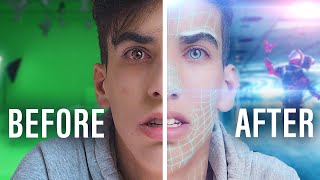
Description: In this tutorial I'll show you how to use some advanced techniques to create a better key for your green screen movie/music video/film. By using After Effects and its famous Keylight plugin we'll create a quick key while also adding a light wrap to our subject. Light wraps are great for making it look like the subject is part of the background you are putting them in. These are also known as rim lights. SUBSCRIBE to the channel for weekly tutorials: youtube.com/videofort Follow us on Facebook: facebook.com/videofort Follow us on Instagram for behind the scenes: instagram.com/videofort Join the filmmaking community at videofort.com • For this tutorial, I use After Effects CC 2017. No plugins are required. KEYS TO SUCCESS: • Use a track matte to choke your matte. • Create a Light Wrap around your subject by using the screen matte technique. • Use a 4-Color gradient to add different shades of color on your light wrap. Please leave a like if this helped you and if you have any questions or want to learn a certain effect please let me know in the comments section and I'll get to it to you ASAP.